
ServicePRO - On Premise Active Directory Pass-through Authentication
Prerequisites Settings on the ServicePRO Server
- Launch the IIS where the ServicePRO application is hosted and select the ServicePRO.Service in the virtual directory.
- Navigate to the Authentication and make sure to enable the Windows authentication.
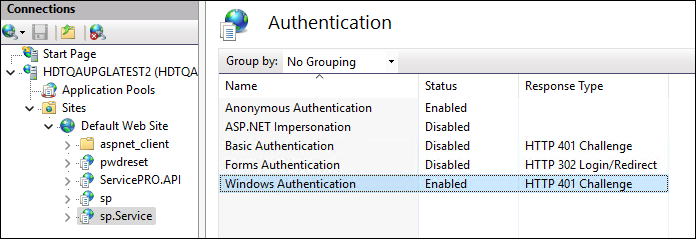 Windows Authentication
ServicePRO Application Settings:
- Login to the ServicePRO application with ServicePRO administrator Privilege.
- Navigate to the General section in the Portal designer under the Setup Menu options.
- Turn on the toggle option for the option 'Allow user to sign in using Windows Login Account'.and Save.
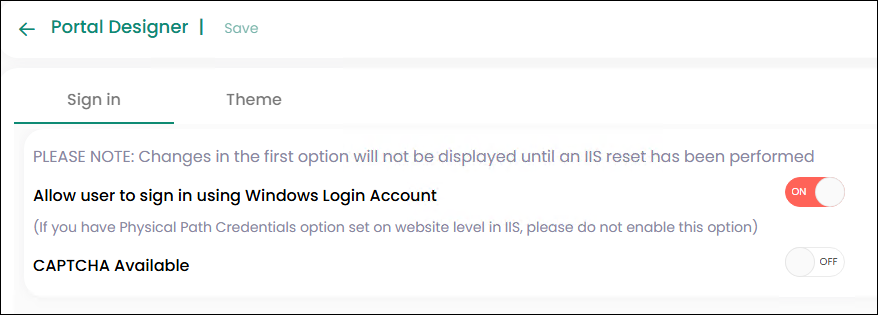 Portal designer-General
 - Reset IIS
- Logout of the application and login back to the application with the Windows login button.